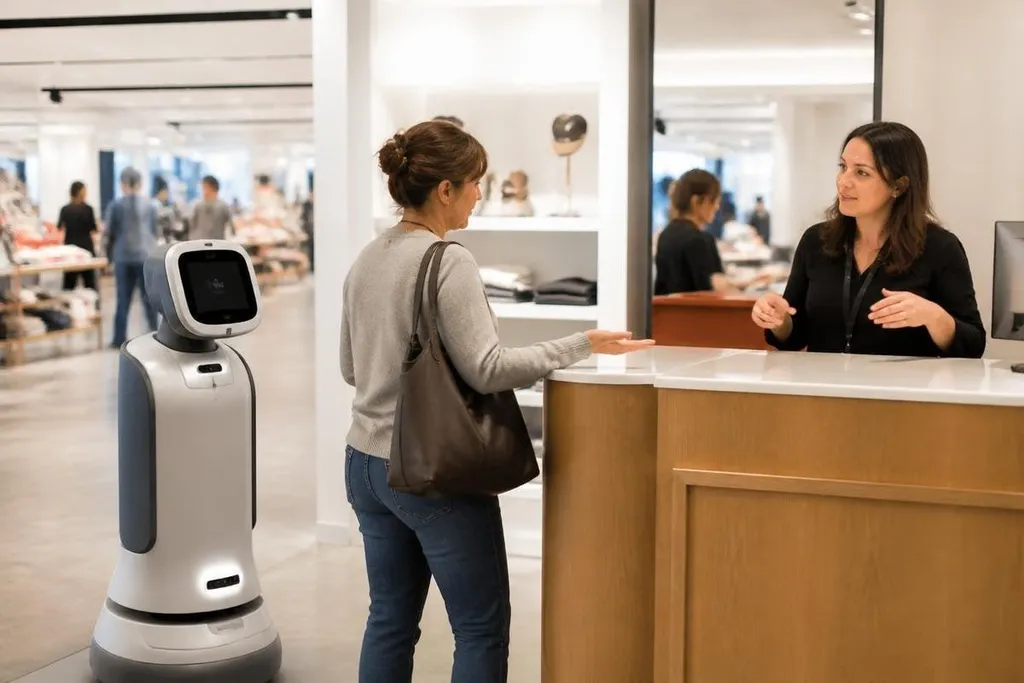
A customer service robot can answer a store question, scan a ticket, or guide someone to a desk. It can also send a frustrated person in circles when the request falls outside its script, so the useful test is where the robot stops and a person takes over.
- Robots handle repeated questions and basic directions.
- Speech, noise, accents, and unusual requests can break the exchange.
- A clear human handoff matters more than a friendly screen.
Where robots help
Customer service work often includes the same small requests many times.
With a screen, microphone, camera, and access to approved answers, the robot can handle questions about opening hours, room locations, ticket lines, or return rules.
That gives staff more time for cases that need judgment. A person asking where a platform is may get an answer from the robot, while a passenger with a missed connection can reach an employee who can check the booking and decide what to do next.
The robot can also collect the first details before a handoff. It might ask for an order number, select a language, or record the type of request. Staff then start with useful context instead of asking the same opening questions again.
The benefit depends on the task staying narrow. A system that answers 20 approved questions may work well at a building entrance. The same system may struggle when a visitor combines two requests or uses words the software does not expect.
The limits are easy to miss
Speech recognition works best when the microphone hears one clear speaker. A busy station adds voices, alarms, music, and movement. The robot may hear the wrong word, miss a sentence, or ask the person to repeat themselves several times.
The screen can create another problem. A person with low vision may need larger text or spoken guidance. Someone who cannot speak may need typing or another input method. A service point that offers only one way to interact leaves some people without a workable route.
Physical movement brings its own limits. A mobile robot needs a clear path, enough room to turn, and sensors that can detect people and objects. Bags, wet floors, steps, or a crowded queue can stop it from reaching the place it was meant to guide someone toward.
A human handoff must still work when the software fails. The person should see an obvious button, phone, desk, or staff member. A loop of repeated prompts is not customer service.
Privacy and safety
The system may process a voice, face, ticket, booking number, or payment question. The operator needs to state what data the system uses, why it needs that data, where it goes, and how long it stays stored.
The safest design limits access to the information needed for the task. For directions, the robot does not need a full customer account. A booking check may need an identifier, but that does not mean it should display private details where other people can see them.
Physical safety needs a clear rule set too. The robot should slow or stop near people, keep away from restricted areas, and let staff stop it quickly. These are operating requirements, not features that can be fixed with a warmer voice.
Before signing a contract, compare the robot’s task, staff handoff, price, and test record. Read customer service robot reporting from Robot24.com beside the maker’s manual and trial notes, then use the checks below to test whether the system fits daily work.
What to check before buying
A buyer should test the whole service, not only the robot's greeting. Use this checklist:
- Name the task: Write the exact questions and actions the robot must handle.
- Set the handoff: Show where a person takes control and how long that transfer can take.
- Test the room: Run trials with queue noise, poor lighting, blocked paths, and several speakers.
- Check access: Offer typing, clear text, spoken output, and a route for people who cannot use the main interface.
- Limit data: Record only the customer details the task needs, then set a deletion time.
- Measure failure: Count unanswered requests, repeat prompts, staff handoffs, and stops caused by the site.
The last point matters because a robot can appear helpful while shifting work to staff. If employees must repair each failed conversation, the system may add another service desk rather than reduce demand.
The practical decision
I'd use a customer service robot for repeatable questions in a place with staff nearby. I'd skip a setup that hides the human option, stores more data than the task needs, or claims to handle open-ended support without published failure results.
The next purchase decision should rest on one number: how many customer requests reach a useful answer without a repeat prompt or human repair. If that measure stays weak after testing in the real site, the robot belongs in a pilot, not at the front desk.